A hands-free feature with a battery trade-off
Garmin's recent software update added "OK Garmin," a voice-activation feature for select smartwatches, including the Fenix 8, Forerunner 570, Forerunner 970 and Venu 4. The update also introduced features such as all-day fall detection, Quick Workouts and Garmin Run Coach plans.
Because the watch listens for its wake phrase, keeping voice activation on can reduce battery life. Some users have reported battery estimates dropping by around 35% to 50%, although Garmin has not specified the exact impact and the figures are estimates rather than independently verified runtimes.
How to turn off voice activation
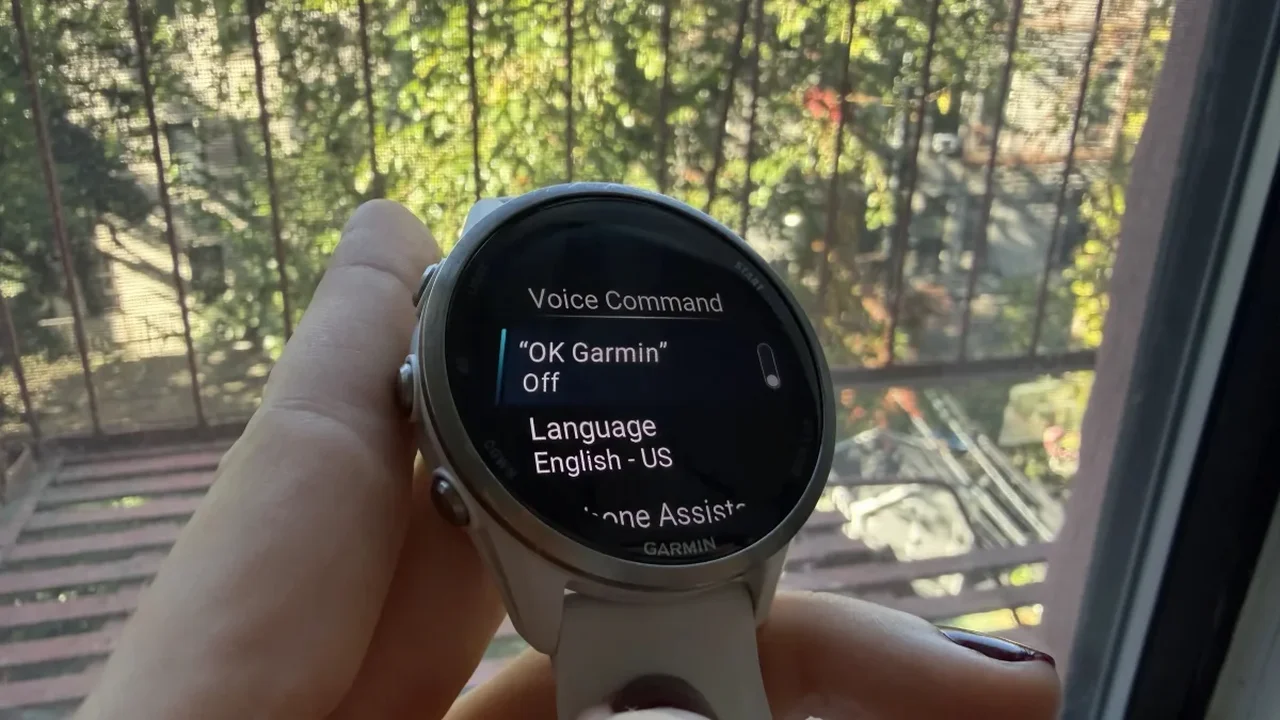
To disable the feature, open Settings > System > Voice on your watch and switch off "OK Garmin." You can also turn off the Phone Assistant wake word in the same menu. Voice commands remain available through the watch's physical controls.
Battery performance can vary, and faster drain may have other causes. As wearable features become more capable, giving users clear control over convenience and power consumption will be key to making them work seamlessly in daily life.