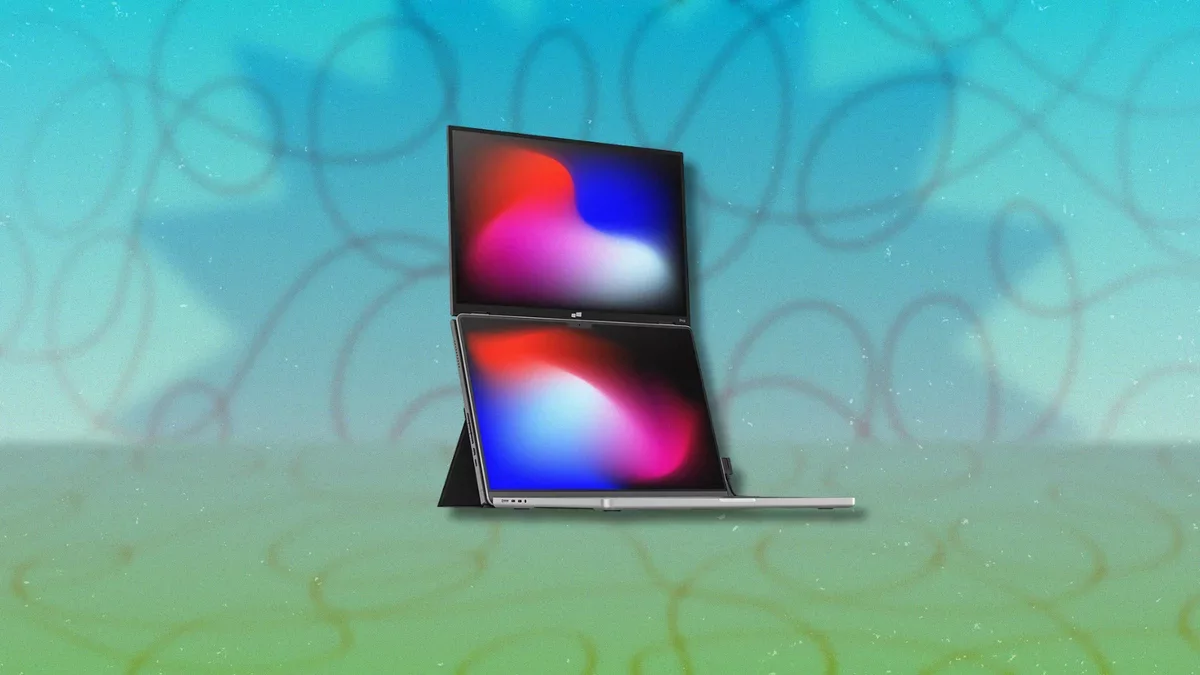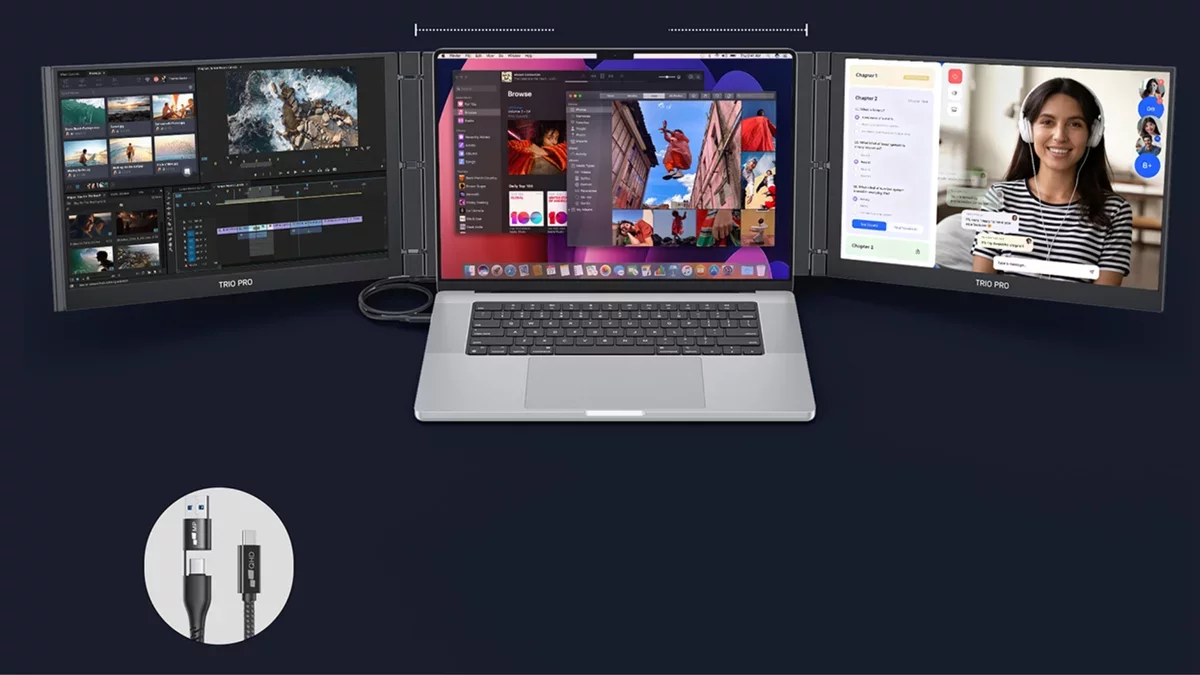
In today's fast-paced work environment, multitasking has become essential, especially for those who rely on laptops. The Mobile Pixels Trio 3 Pro is designed to enhance productivity by converting a standard laptop into a three-screen setup, making it an ideal solution for professionals on the go.
This innovative device is compatible with various operating systems, including macOS, Windows, and Linux, as well as gaming consoles like the Nintendo Switch. Users can easily attach two 14.1-inch displays via USB-C or Mini HDMI, expanding their workspace without the need for a traditional desk setup. Each screen boasts a resolution of 2240x1400 pixels and a refresh rate of 120Hz, ensuring that visuals are vibrant and smooth.
Beyond merely increasing screen real estate, the Trio 3 Pro offers four distinct viewing modes. The landscape mode is perfect for side-by-side tasks such as spreadsheets and web browsing. For those who work with lengthy documents or coding, portrait mode provides a more suitable layout. Additionally, collaboration mode enables users to share a screen with someone sitting nearby, while presentation mode caters to larger audiences. The screens feature IPS technology with an anti-glare coating, making them easy to read during extended work sessions. With 65W pass-through charging, users can power their devices without sacrificing valuable ports.
Weighing just over four pounds, the Trio 3 Pro is portable, though it does add some weight to your bag. With a maximum brightness of 300 nits, it performs well in indoor settings, although it might struggle in direct sunlight. It's worth noting that while the Trio 3 Pro enhances productivity, it may not be the best choice for color-critical tasks, making it less suitable for designers or video editors who require precision.
Ultimately, the decision to invest in a three-screen setup like the Mobile Pixels Trio 3 Pro hinges on individual needs. For those who frequently juggle multiple applications, this device could significantly streamline workflow. However, for users who primarily focus on one or two applications, the additional screens may not be necessary.