Google's Find Hub can do more than locate a misplaced phone. Its tools can help you keep track of everyday belongings, share locations with trusted people and improve your chances of finding a device. Here are 10 useful features to know.
1. Turn on "Left Behind" alerts
Select a device in Find Hub, open its settings and enable Notify when left behind. Add familiar places, such as home or work, where you don't need alerts.
2. Ask Gemini to remember where you put things
Tell Gemini where you've stored an item, such as a passport or spare keys. You can ask for its location later, update the details, or review saved items in Find Hub's Remembered tab.
3. Check offline finding settings
On supported phones, Find Hub may locate a device for a period after it has been switched off or its battery has run out. In the app's offline-device settings, choose whether the finding network operates in busy places or everywhere.
4. Share a tracker with family
Use Share Ownership to give up to 10 people access to a compatible tracker's location. The feature shares the tracker's location, not your personal device's.
5. Share your live location
Google Messages lets you share your real-time location from a conversation. You can also use Find Hub's People tab to choose a contact and set how long location sharing lasts.
6. Help an airline locate tagged luggage
For a supported tracker, create a temporary item-location link in Find Hub and provide it to your airline. The link expires after seven days.
7. Use the wider offline network in less busy areas
The "With network everywhere" option lets the finding network report a location even when a single nearby Android device detects a lost item. It may be useful outside crowded areas.
8. Find your device from another Android phone
Open Find Hub on a borrowed Android phone, choose Sign in as guest and use the Google account linked to your device. You can view its location, play a sound or mark it as lost.
9. Pinpoint nearby devices
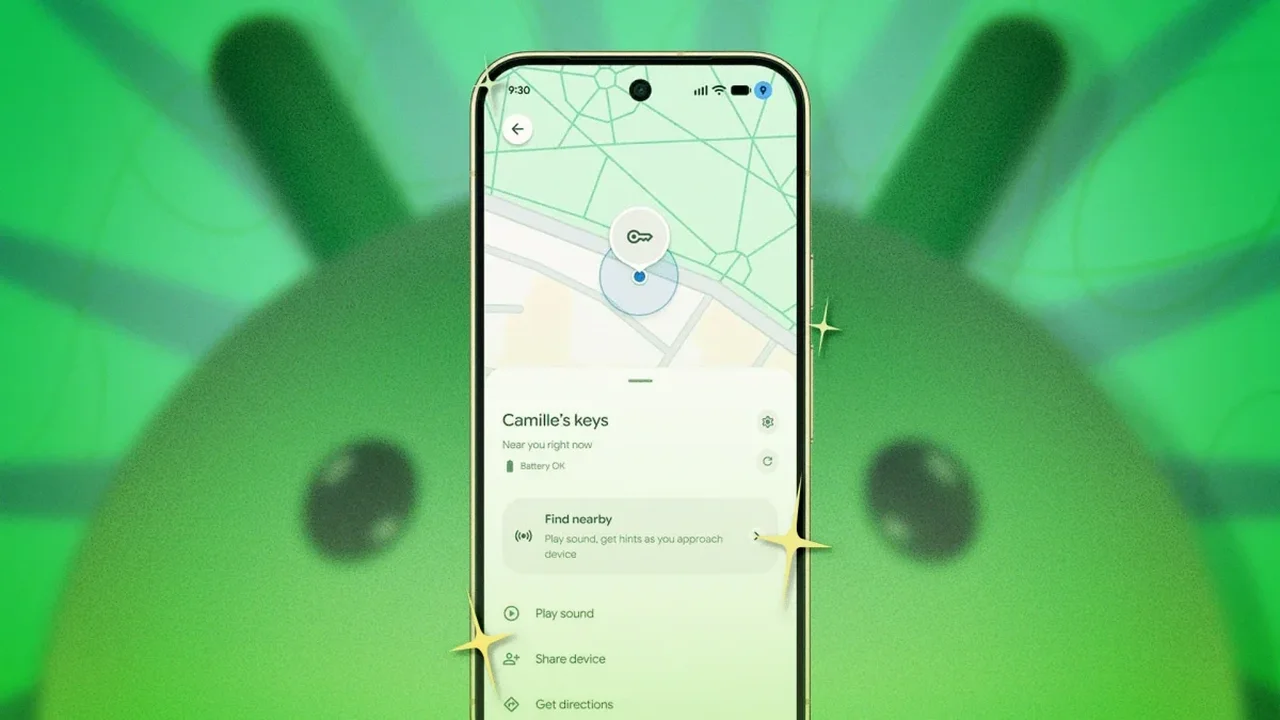
On supported phones and trackers, Find Nearby can guide you toward an item at close range. Bluetooth needs to be enabled; playing a sound can also help.
10. Add a recovery message
If a device goes missing, choose Mark as Lost and add a message with an alternative contact number. This gives someone who finds it a way to reach you.
As location tools become more connected, Find Hub's features could make everyday belongings easier to manage while giving users more flexible ways to recover them.