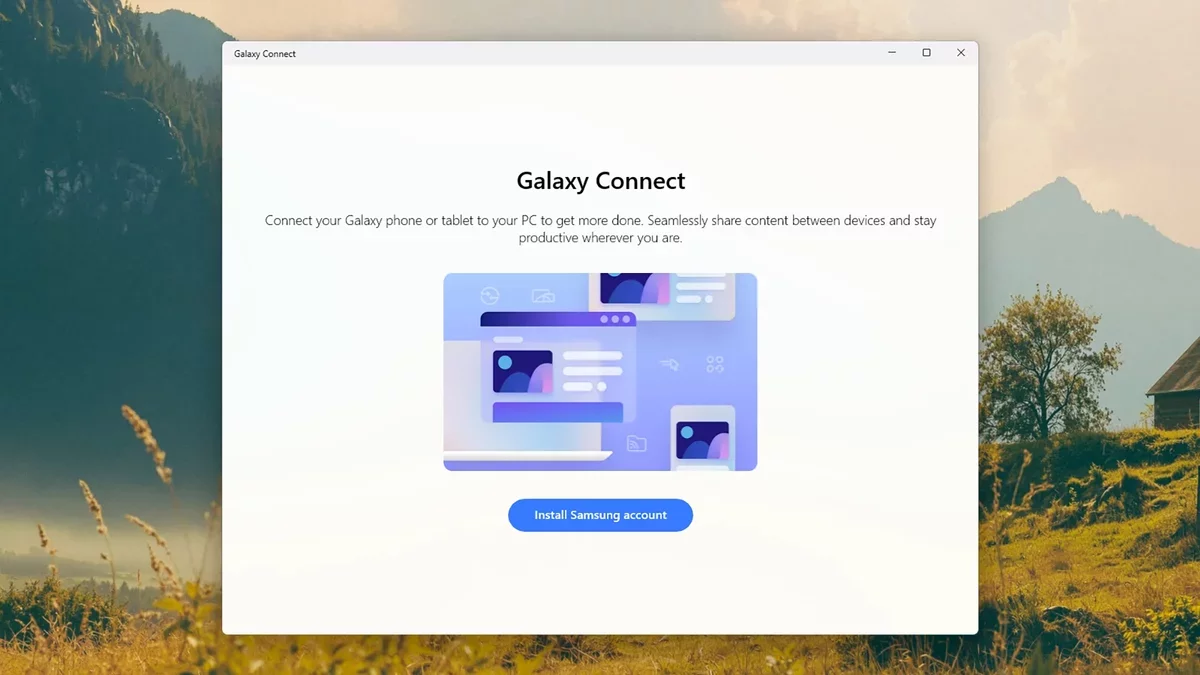
Samsung has made significant strides in enhancing the connectivity between its devices and Windows PCs. The Galaxy Connect app, which facilitates seamless interaction between Samsung Galaxy smartphones and Windows 11 computers, has recently broadened its compatibility to include a wider array of non-Samsung PCs equipped with Intel and AMD processors. This development allows more users to experience the benefits of cross-device functionality.
Previously, users within the Samsung ecosystem enjoyed features that allowed for efficient task management and file sharing. Now, with the latest update (version 2.1.6.0), users can take advantage of these features on their Windows 11 machines, provided they have the Galaxy Connect app installed from the Microsoft Store.
Getting Started with Galaxy Connect
Upon downloading and launching Galaxy Connect, users are prompted to sign in with their Samsung account. This is essential for accessing the app's features. The main interface consists of four key sections designed to enhance productivity.
The first section, Continue on other devices, enables users to copy and paste content between their PC and Galaxy phone, as long as both devices are connected to the same Wi-Fi network with Bluetooth enabled. This feature also syncs Wi-Fi network information, making it easier to connect to previously used networks.
Another notable feature is Storage Share, which simplifies file transfers. Once activated, users can access their phone's storage directly through Windows File Explorer, facilitating easy file management without the need for cables or third-party applications.
Multi Control and Second Screen Features
The app also includes advanced functionalities like Multi Control and Second Screen. Multi Control allows users to operate their Galaxy phone from their Windows PC, effectively turning the phone into a secondary display. This feature enhances multitasking capabilities by enabling users to drag and drop content between devices seamlessly.
Second Screen functionality permits Galaxy tablets to be used as additional displays for Windows PCs, providing extra screen real estate for applications and enhancing the overall user experience.
Additionally, Samsung's Phone Link app offers an alternative for Windows users, allowing them to sync their devices and manage notifications, texts, and calls directly from their desktops. This integration further enriches the user experience, minimizing the hassle of switching between devices.
As technology continues to evolve, the expansion of Galaxy Connect signifies a pivotal step towards a more integrated digital ecosystem, where devices work harmoniously together, paving the way for enhanced productivity and user convenience in the future.